Perform Web Editing Functions
(Adobe Dreamweaver - 24 hrs)
(ICDL Certification Module: Web Editing)
What is Adobe Dreamweaver Used For?
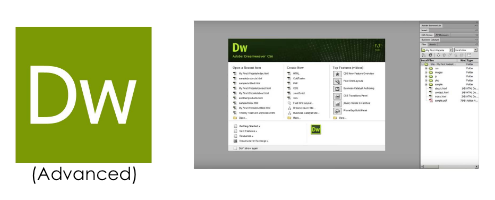
Put simply, Adobe Dreamweaver is a computer language editor or code (HTML, CSS, PHP, Javascript, etc.) editor web developers and web designers use to create websites.
Course Overview
In this 3-day Adobe Dreamweaver class, trainees will acquire basic knowledge on HTML, CSS, and text formatting. Trainees will also learn fundamentals platform principles of Dreamweaver and how to create web pages and publish them through a web server.
Learning Outcomes
This is a bootcamp that provides students with the knowledge and skills necessary to install, operate, and troubleshoot a small to medium-sized network, including connecting to a WAN and implementing network security.
Course Outline
Module 1. Web Concepts Module 2. Fundamentals of HTML Module 3. Using HTML Module 4. Design Module 5. Using Dreamweaver Module 6. Enhancing Productivity Module 7. Working with Text Module 8. Working with Paragraph Module 9. Page Formatting Module 10. Hyperlinks
Module 11. Tables Module 12. Graphical Objects Module 13. Forms Module 14. CSS Concepts Module 15. Using CSS Module 16. Reviewing Design Module 17. Publishing Web Page
Course Fee after 95% Workfare Training Scheme (WTS) funding (inclusive of GST)*
$78
*If you are a Singapore Citizen 35 years old and above and earning less than $1900/month or less, you should have received a letter from WDA notifying you of your eligibility.
Upon completion of this module course under WDA funding, students will receive Statement of Attainment (SOA) Certificates from WDA. The details of SOA of each module are given below. IT-NMM-401S-1 : Install and configure a Switch IT-NMM-402S-1 : Install Switches and Multi-Switched local area network